How to Install an eSIM on iPhone (Turkey Travel eSIM)
Install before you arrive in Turkey. This guide walks you through every screen with screenshots.
Important
- Install before you arrive in Turkey.
- Do not lose internet during installation. Use stable Wi-Fi if possible.
Quick summary
To buy an eSIM, see our eSIM in Turkey page. If you want to buy instantly, start from booking and choose eSIM only. For extra screenshots, see how to install an eSIM on iPhone.
Installation steps (iPhone)
Follow the steps in order. Screens are for iPhone.
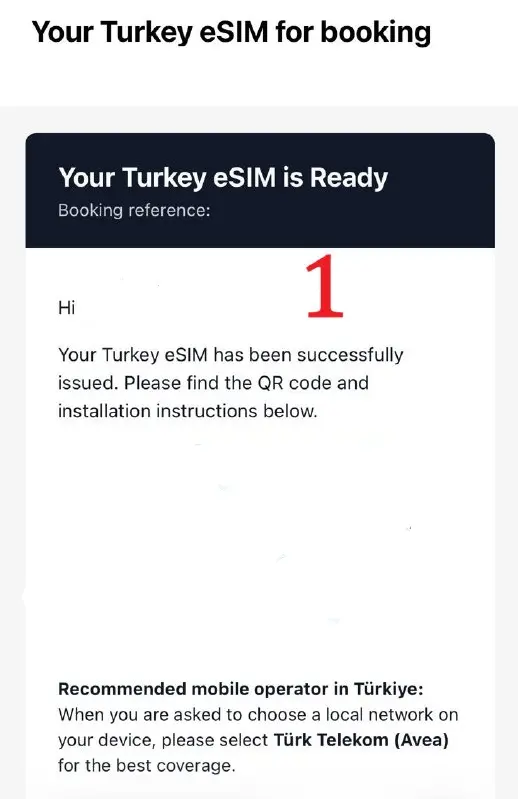
You will receive an email like this.
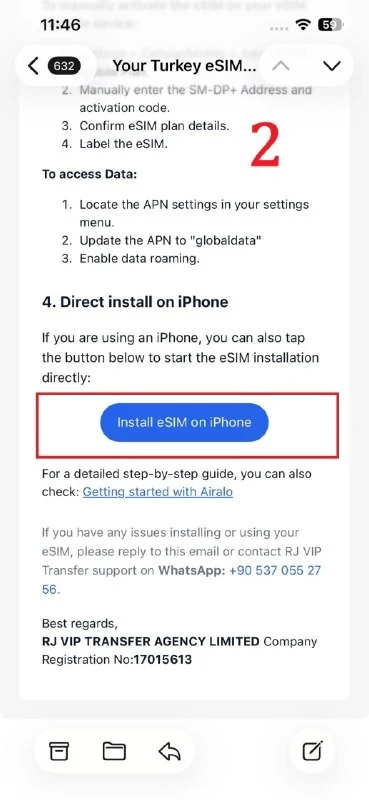
Near the bottom of the email, tap the Install eSIM on iPhone button.
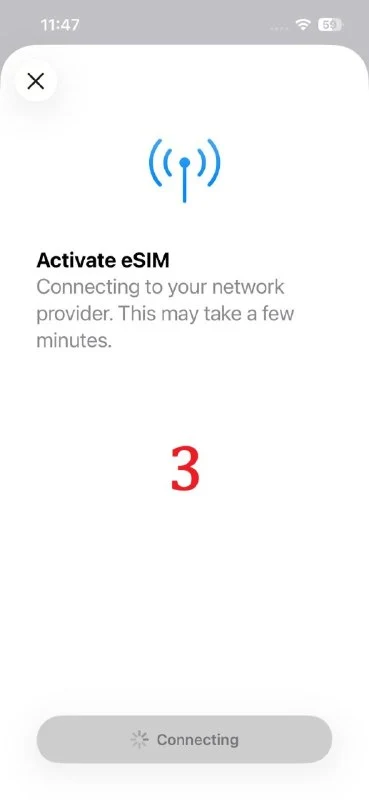
You will see a screen like this. Wait a moment.
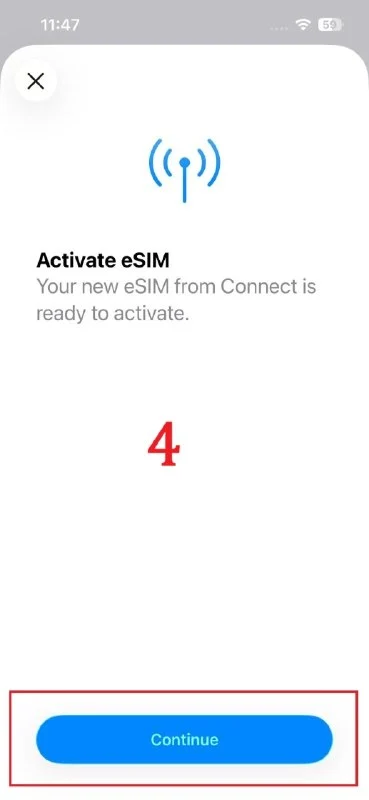
Tap Continue.
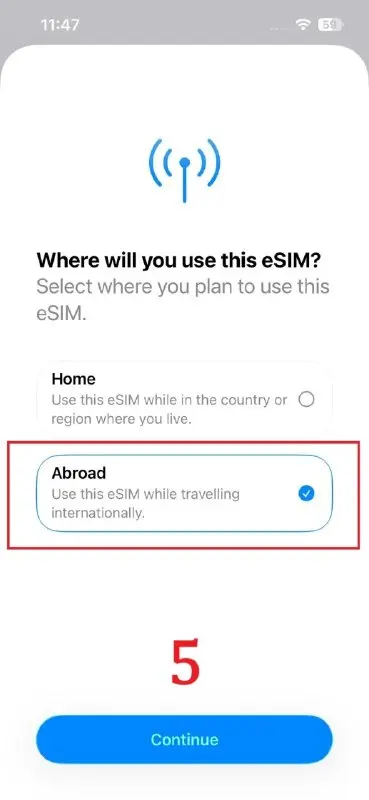
Select Abroad and continue.
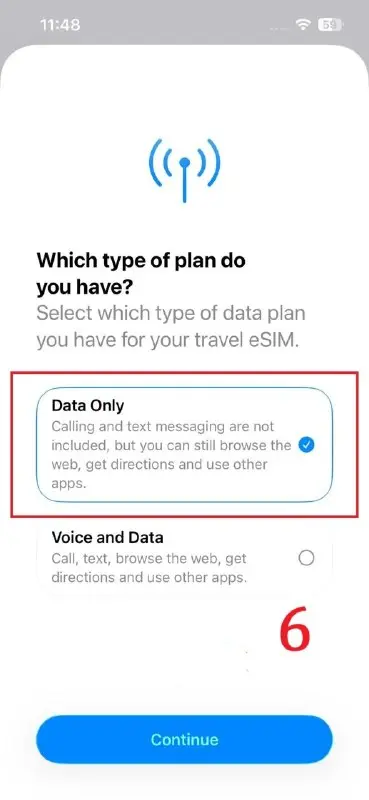
Select Data only and continue (other options may be for numbered eSIMs).
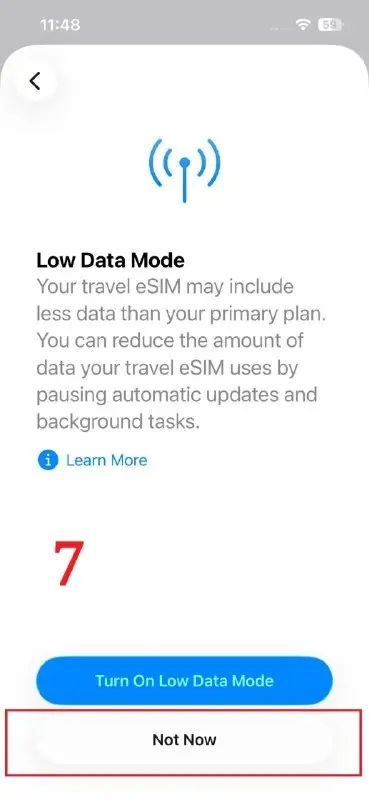
It may ask about using data slowly. Tap Not now.
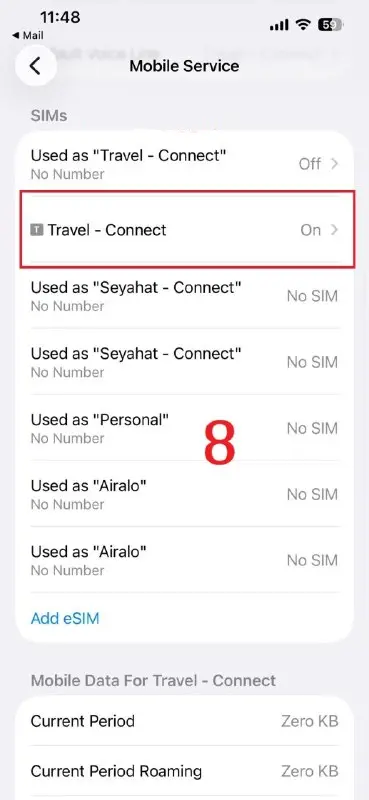
You may see previously installed eSIMs. Select TRAVEL-CONNECT.
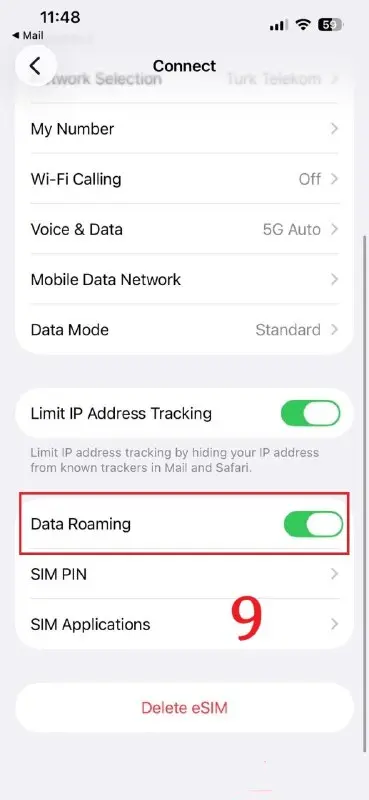
On the next screen, enable Data Roaming at the bottom. If you do not, it may not work.